Form1.cs
This form confirms a user's credentials to the IBM i. The approved user and password are stored in static variables in the Program class(Program.cs).
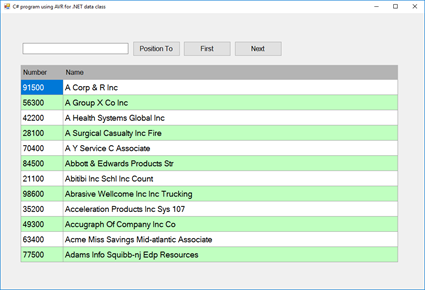
Namespace declarations.
using System;
using System.Windows.Forms;

namespace FourWindsCustomerList
{
    public partial class Form1 : Form
{This class requires an explicit reference to these assemblies:
- ASNA.VisualRPG.Runtime - this is packaged with the Visual RPG Windows deployment.
- FourWindows.Customer - this is availble here
The developers' PC and endusers' PCs need to have the VisualRPG Windows deployment installed and licensed.
Declare global (to this form/class) class variables.
Declare the AVR class this C# app uses.
FourWinds.Customer.ListByName cl;ASNA.VisualRPG.Runtime.Database DGDB;
FourWinds.Customer.DBConnection DGDB;Set number of rows to read in the ListByName class.
        const int ROWS_TO_READ = 12;

        public Form1()
        {
            InitializeComponent();
        }

        private void Form1_Load(object sender, EventArgs e)
{Use only the manually created DataGridView columns.
dgvCust.AutoGenerateColumns = false;Instance a login form.
formLogin lf = new formLogin();Show it and put its result in dr.
DialogResult dr = lf.ShowDialog();If OK, then...
            if (dr == DialogResult.OK)
{Instance a DataGate DB object. This connection uses the DB name, the user, and the password provided. It overrides the DB connection that ListByName was compiled with.
                DGDB = new FourWinds.Customer.DBConnection(Program.RUNTIME_DB_NAME,
                                                           Program.UserName,
Program.Password);Instance the ListByName class.
cl = new FourWinds.Customer.ListByName(DGDB.Connection, ROWS_TO_READ);Connect its database.
cl.ConnectDB();Open its files.
cl.OpenFiles();Get the first page of customers.
                dgvCust.DataSource = cl.GetList();
            }
            else
{If the user canceled the login, then exit this app.
                Application.Exit();
            }
        }

        private void Form1_FormClosed(object sender, FormClosedEventArgs e)
{Make the cl instance of ListByName is indeed instanced.
(It won't be if the user canceled the login.)
            if (cl != null)
{Close files and disconnect the DB.
                cl.CloseFiles();
                cl.DisconnectDB();
            }
}Show the next page of customers.
        private void buttonNext_Click(object sender, EventArgs e)
{PositiontoNext returns true if it could find the the specified customer.
            if (cl.PositionToNext(cl.LastCMName, cl.LastCMCustNo))
{Clear the list. This method clears the memory file.
cl.ClearList();Get the next page.
dgvCust.DataSource = cl.GetList();Set buttonNext enabled status.
                buttonNext.Enabled = cl.HasMoreRecords;
            }
            else
            {

            }
}Position to a given name (if the name is found).
       private void buttonPositionTo_Click(object sender, EventArgs e)
{The file is keyed on name and number, so you need to pass
a zero value for the number in this case. Needing to use a
value like this is a good argument for adding a overloaded
PositionTo method in the AVR class that only takes a customer
name.
PositionTo returns true if the customer was found.
            if (cl.PositionTo(textboxPositionTo.Text.Trim(), 0))
{Clear the list.
cl.ClearList();Get the next page.
dgvCust.DataSource = cl.GetList();Set buttonNext enabled status.
                buttonNext.Enabled = cl.HasMoreRecords;
            }
            else
            {
                MessageBox.Show("Position-to value not found.");
            }
}Position to the first record in the file.
        private void buttonGotoFirst_Click(object sender, EventArgs e)
{Position to the first record in the file.
cl.PositionToFirst();Clear the list.
cl.ClearList();Get the next page.
dgvCust.DataSource = cl.GetList();Set buttonNext enabled status.
            buttonNext.Enabled = cl.HasMoreRecords;
        }
    }
}